How to read OOPbuy QC photos before paying international shipping: what to check on logos, stitching, materials, size and defects, what matters by category, and when to accept, ask for more photos or reject.
Your one checkpoint
QC photos are your chance to catch problems before they ship
After your item reaches the OOPbuy warehouse, it is checked and photographed — item count, size, colour and visible condition — and you review those QC photos before paying international shipping. Fixing a wrong or flawed item is easy at this stage and very hard once the parcel has left China. This guide is about the skill that actually matters: reading those photos well.
Wait for the QC photos and package details after warehouse arrival.
Compare each photo against exactly what you ordered.
Request extra photos or a video if anything is unclear.
Only accept and ship once you are satisfied — never before.
When QC happens
After the seller ships and the item is received at the warehouse, before you consolidate and pay international freight.
Why it is your leverage
A return or reship inside China is simple and cheap. The same problem discovered overseas usually is not, so use this window.
Real examples
What an OOPbuy QC photo actually shows
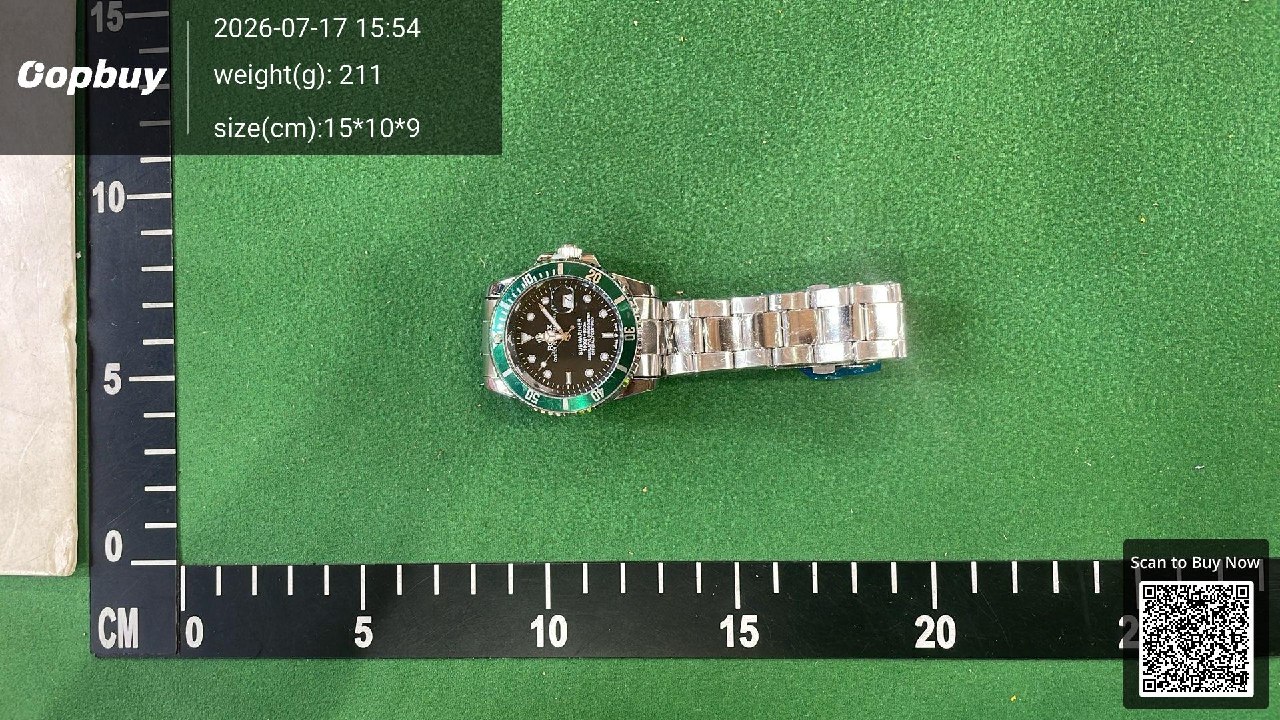
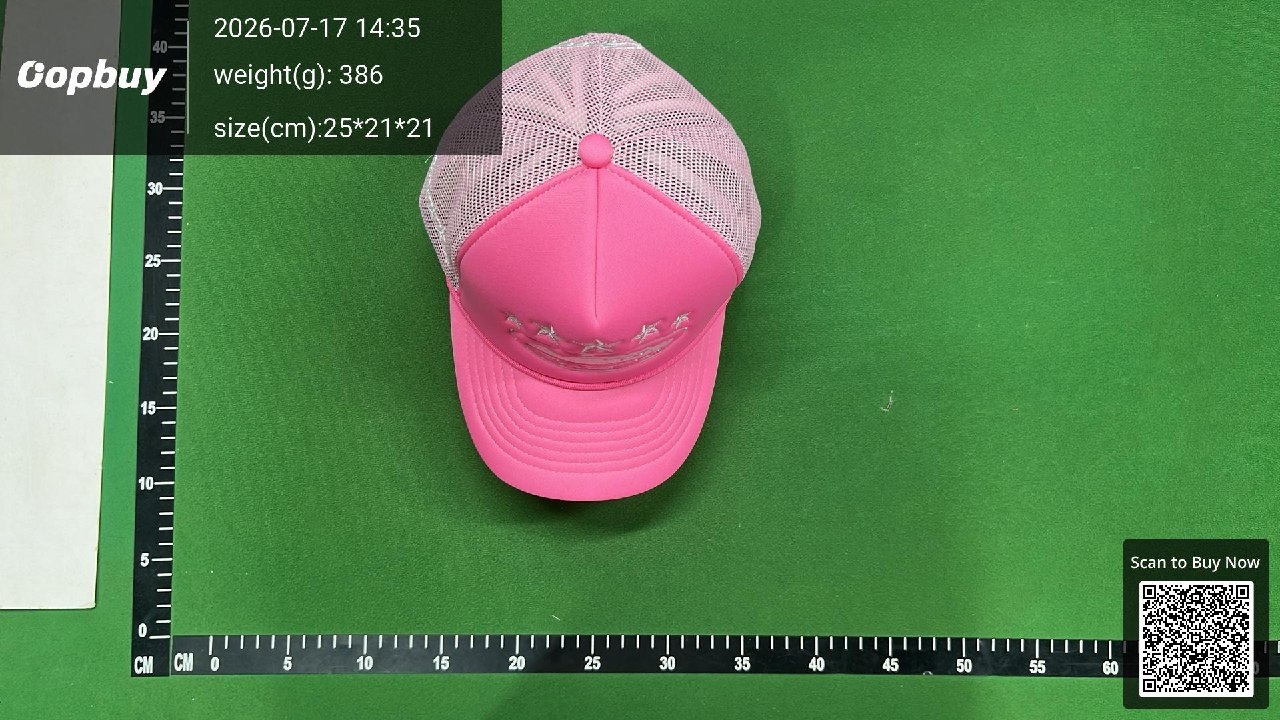
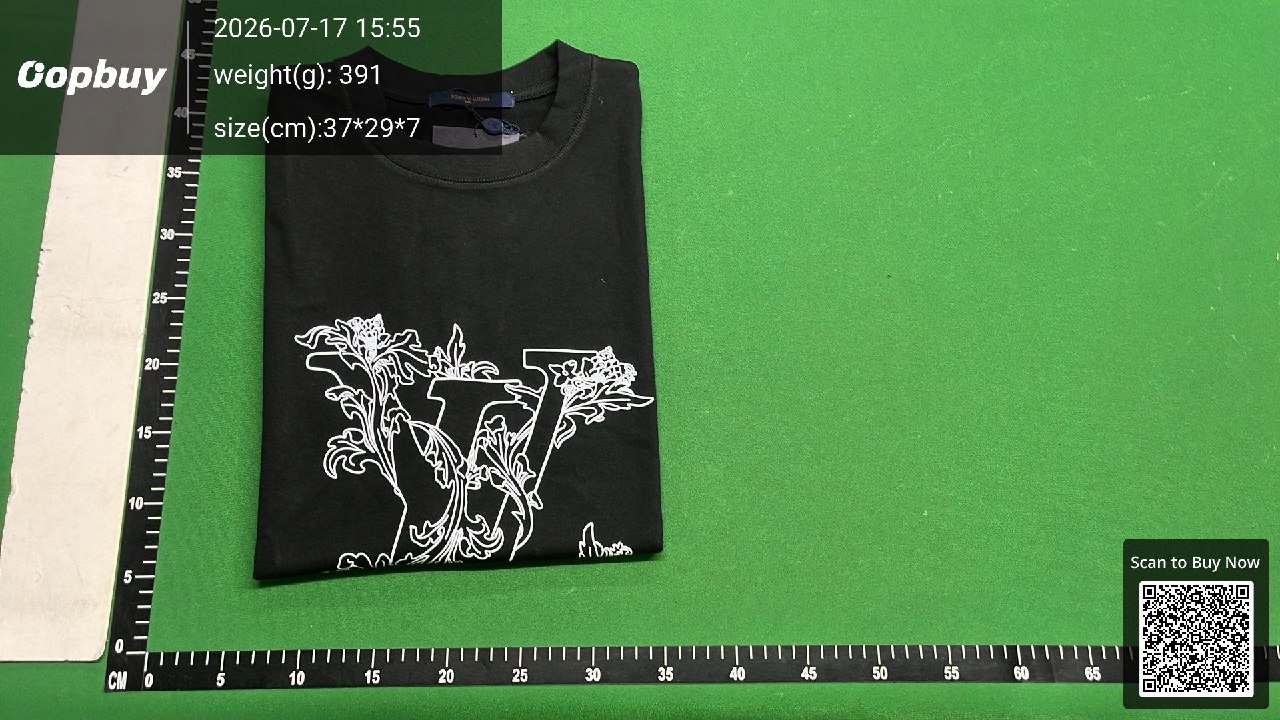
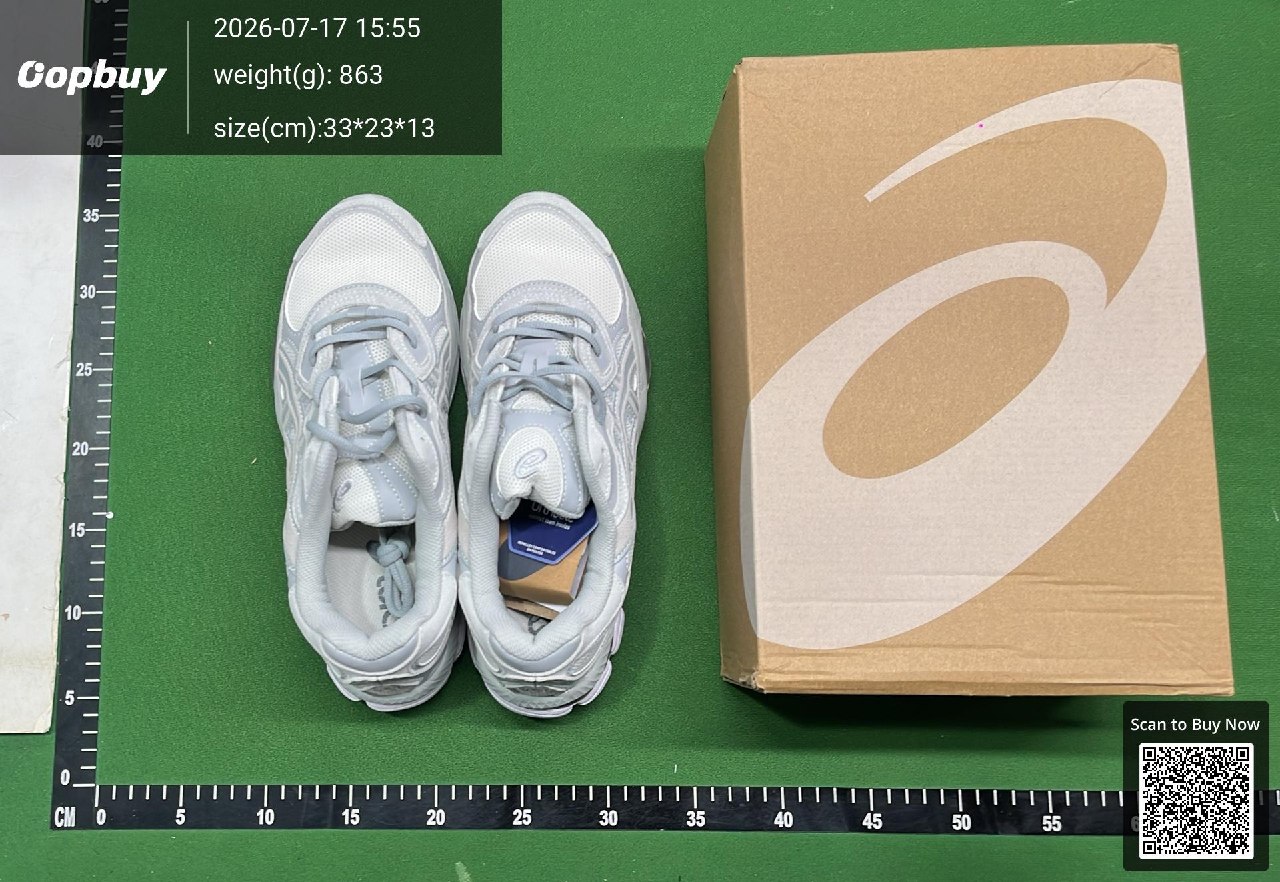
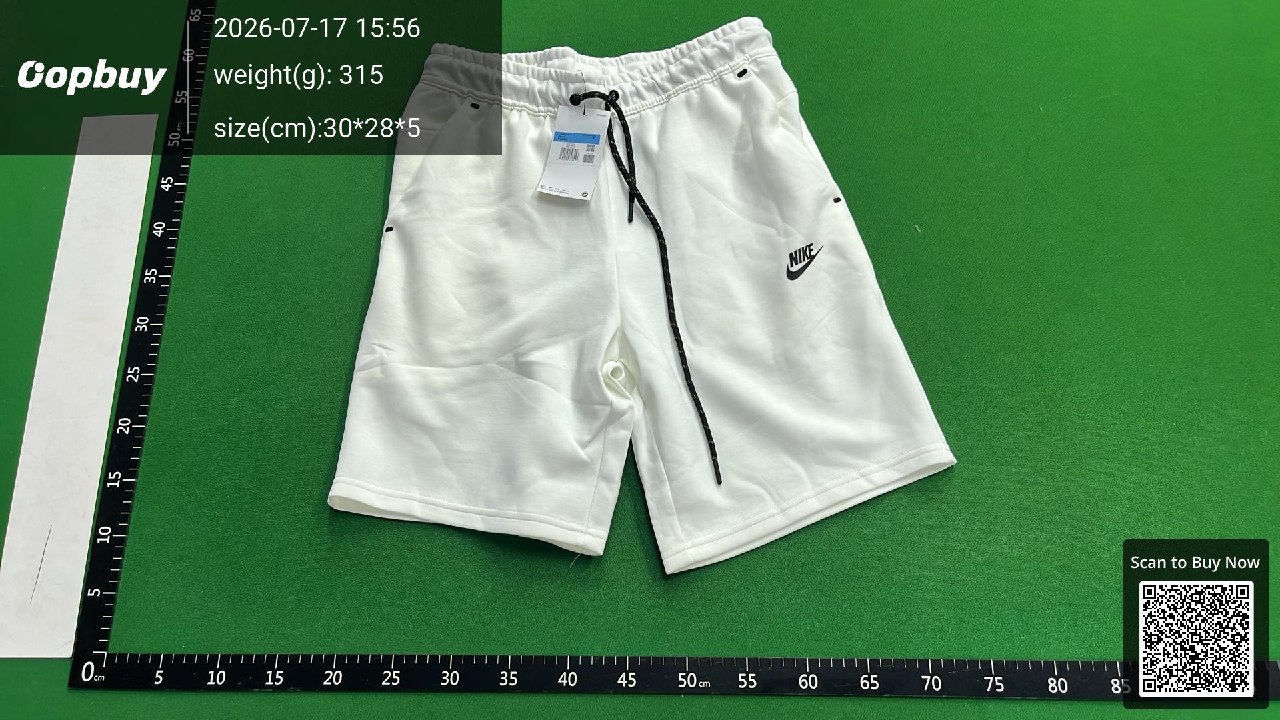
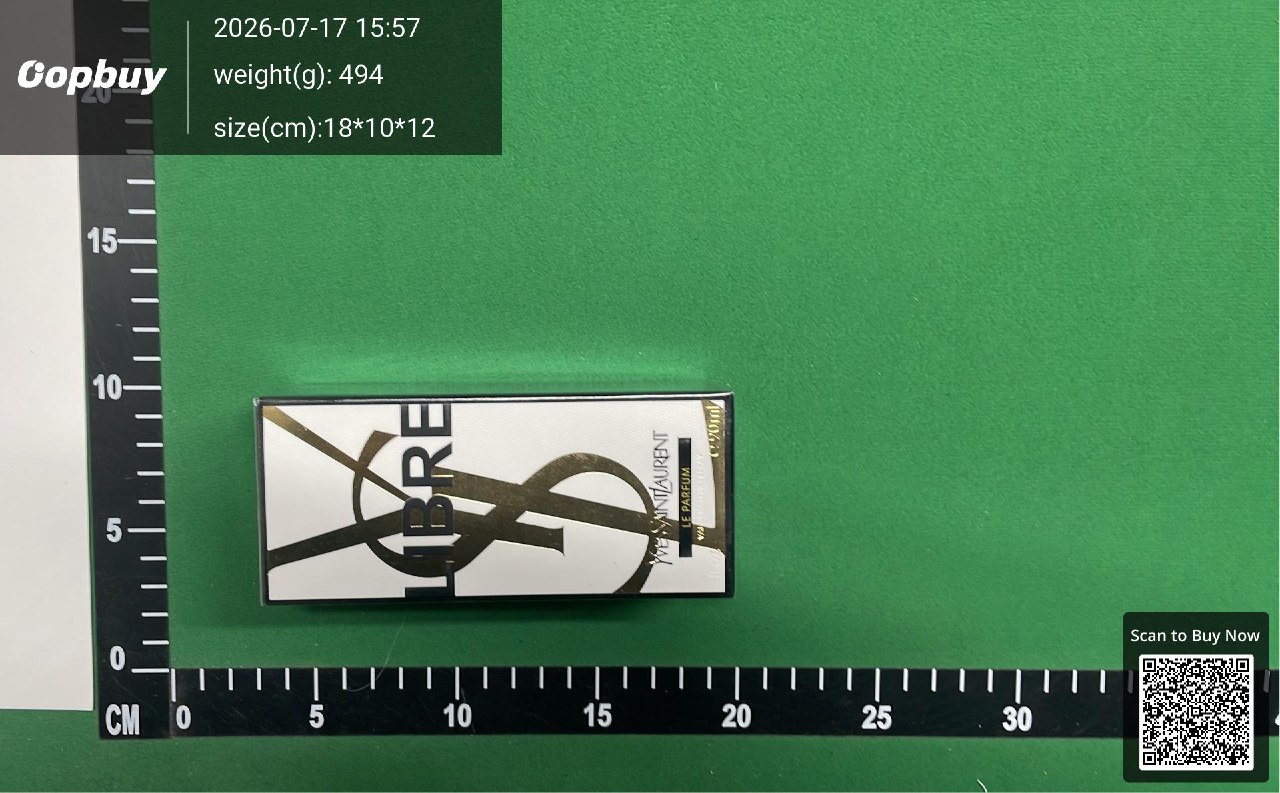
Every OOPbuy QC set lands like this: your item laid on a measured mat with the date, weight and dimensions stamped in the corner. Here are real OOPbuy QC photos across six categories — open them and run the checklist below.
Watch · 211 g · 15×10×9 cm — check the dial printing and date window, the bezel and crown, and that the bracelet links and clasp are tight and even.Cap · 386 g · 25×21×21 cm — check the front logo, the foam panel shape and the mesh, and that the seams between panels are clean.T-shirt · 391 g · 37×29×7 cm — check the print placement and line detail, the neck tag and collar, and the fabric weight against the listing.Shoes · 863 g · 33×23×13 cm — match the box label to the pair, check the sole and midsole, and compare the left and right shoe.Shorts · 315 g · 30×28×5 cm — check the embroidered logo, the tags and drawcord, the pocket stitching and the fabric feel.Fragrance · 494 g · 18×10×12 cm — check the sealed box and label; remember a photo shows the packaging, not the scent inside.
Read the photos
Six things to check in every QC photo
Zoom in and go through these one by one. Most problems are visible if you know where to look.
Logo & print
Check alignment, spelling, spacing and colour of any logo, print or embroidery against the reference image. Off-centre or wrong-font prints are the most common miss.
Stitching & seams
Look for straight, even stitching with no loose threads, skipped stitches or puckering. Sloppy seams signal a rushed batch.
Material & texture
Judge the weight, sheen and grain of the fabric or leather from close-ups, and compare it to what the listing implied.
Size tag & measurements
Confirm the size tag matches your order. If fit is critical, ask for a tape-measure photo rather than trusting the label alone.
Colour under light
Warehouse lighting shifts colours. Judge shade across more than one photo before deciding a colour is wrong.
Defects & symmetry
Scan for scuffs, glue marks, uneven panels and hardware faults. For shoes and bags, compare the left and right sides.
By category
What matters most for each product type
Different items fail in different ways — weight your check toward what actually goes wrong.
Shoes
Box, sole & symmetry
Match the box label to the pair, check the sole pattern and size stamp, and compare left vs right for shape, stitching and glue.
Apparel
Print, tag & fit
Focus on print placement, the size and wash tags, fabric feel and the key measurements for how it will fit.
Bags
Hardware & logo
Inspect zippers and hardware, the logo font and spacing, the lining and stitching, and confirm the overall dimensions.
Electronics
Model & packaging
Verify the model, plug type and packaging seals — but remember a photo cannot test whether the device actually works.
Then decide
Accept, ask again, or reject
Every QC review ends in one of three actions — make the call before you pay international shipping.
Accept & ship
The photos match your order and show no significant flaw. Consolidate and move to shipping.
Ask for more
Something is unclear. Request extra detailed photos or a QC video as a value-added service before you decide.
Reject & resolve
It is the wrong item or clearly defective. Start a return, reship or refund with support now — not after it ships.
What QC photos cannot tell you: smell, real electrical or mechanical function, and guaranteed authenticity are beyond a photo. For high-value or functional items, consider extra services, keep expectations realistic, and confirm OOPbuy's current QC and after-sales policy on the official platform before you rely on it.
Keep learning
More OOPbuy guides
Continue through the OOPbuyFind guide cluster to place, check and ship your OOPBUY order with confidence.